
There are a number of trainings you can take to uplevel your knowledge and expand your abilities. Consider setting milestones to complete these trainings as a team and encourage group discussion.
Alphabet Accessibility Academy (AAA)
The Alphabet Accessibility Academy (go/aaa-info) aims to educate with self-paced training courses by topic and role. You can create a dashboard for your team to track your progress and level progression.
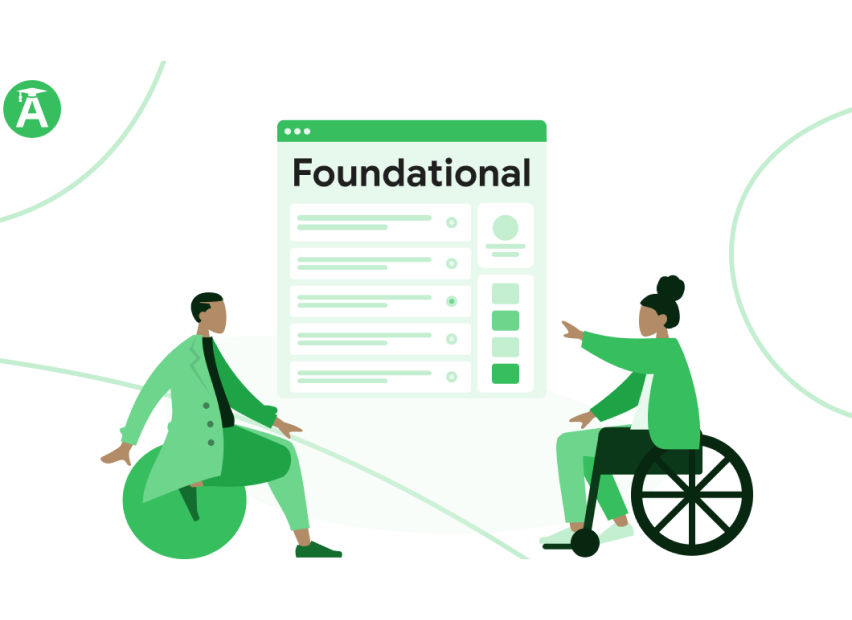
There are two learning paths available in the AAA:
- The Foundational Accessibility Knowledge Certificate (FAKC, pronounced "Facts") is suitable for Googlers in technical or non-technical roles
- The Scholar Program builds off of the Foundational Certificate and offers role-specific advanced education at levels from Intermediate to Professor
Contact the AAA Program Manager Holly Schnell or the team at accessibility-edu@google.com.
GAR training
GAR (Google Assessment Rating) is Google's scale for measuring a product's level of technical accessibility. Most product areas have a GAR level 4 requirement for launch. The whole product team should take GAR Training on the Alphabet Accessibility Academy to better understand how to contribute to reaching the highest GAR level.
Here are the must-know basics about GAR:
- The GAR system can be applied to any mobile (Android, iOS, or mobile websites), or web applications. There are also pilot efforts underway for Android TV and Wear OS applications, and other materials like GAR for Hardware or GAR for email.
- GAR should never be shared or referenced externally, so if you want to evaluate an externally developed app, run your GAR assessments internally
- GAR is based on a self-assessment checklist where you assess the support for a range of accessibility needs by answering Yes or No
- GAR ratings go from 0 (least accessibility support) to 4 (high accessibility support)
- Many product areas have a GAR level 4 requirement for launch and annual company-wide OKR reporting
Additional resources
In addition to the Alphabet Accessibility Academy and GAR trainings, consider checking out some more resources that would help your team uplevel their accessibility education.
Culture
These documents will help you incorporate accessible practices into team programs and make accessibility a part of your team’s culture.
Best Practices for your Program
Guidelines for accessible practices into your team or program to include physical spaces, slides and announcements
Designing inclusive offsites
Details guidelines for teams to have more inclusive offsites, to include guidance for dietary restrictions, disabilities, and timing
Meetings and communications
These documents, decks, and sites will help your team run meetings and communicate more inclusively and effectively.
Captioning resources
go/captions features collection of links that point to the proper resources for captioning on a number of platforms such as Slides, Google Meet and YouTube
Accessible meetings
Guidance for sharing content, captioning, and having inclusive and respectful interactions during meetings
Guidelines for documentation
The guidelines in this doc are primarily for user-facing help articles, but they can apply to any documentation
How to make accessible websites
Guidelines to help ensure that internally-built and vendor built sites are more accessible
Accessible presentations
Helpful guidance on how to prepare and present more accessible presentations
External resources
Additional external resources to help you and your team build empathy and expand your knowledge.
YouTube A11y Casts
A YouTube series where Rod Dodson shares the fundamentals in building accessible apps
Becoming Disabled
An article in the New York Times by Dadu Shin about their personal experience with disabilities
How People with Disabilities Use the Web
The WC3 introduces how people with disabilities use the web, including tools and approaches to help technologists build more inclusively
The Inaccessible Web
An article on Medium about how many websites came to be inaccessible and the pitfalls that have led us there
Making a more helpful home for everyone
A short Youtube video about how Google Nest and the Reeve Foundation aim to help people with disabilities
Evaluation of a11y, usability, and UX
A short Youtube video about how Google Nest and the Reeve Foundation aim to help people with disabilities
Google Drive using a screen reader
YouTube video that describes common keyboard shortcuts and resulting synthesized speech feedback
Discrimination by Design
Digg article by Lena Groegar the touches on how prejudices and bias affect the way things are designed and built
Google's Guide to Designing with Empathy
Fast Company article by John Brownlee discussing Google's Astrid Weber and Jen Devins, and how we can reach over 1B people with accessible design